Business Operations Dashboard
Running multiple projects and client work without a single view of tasks, leads, and system health gets messy fast. This is the self-hosted operations dashboard that powers this studio's own workflow — tasks, notes, contact queue, outreach pipeline, and technical health in one place.
Too many projects, no single view
Between client engagements, personal products, and infrastructure, work was tracked across task lists, notes, browser tabs, and memory. Client enquiries arrived with no consistent queue. Outreach leads lived in a separate system. Server health required SSH-ing into multiple boxes. Nothing was broken — but nothing was visible in one place, which is how things get dropped.
One dashboard for the whole operation
What it covers
- Today view — what needs attention right now, across all active work.
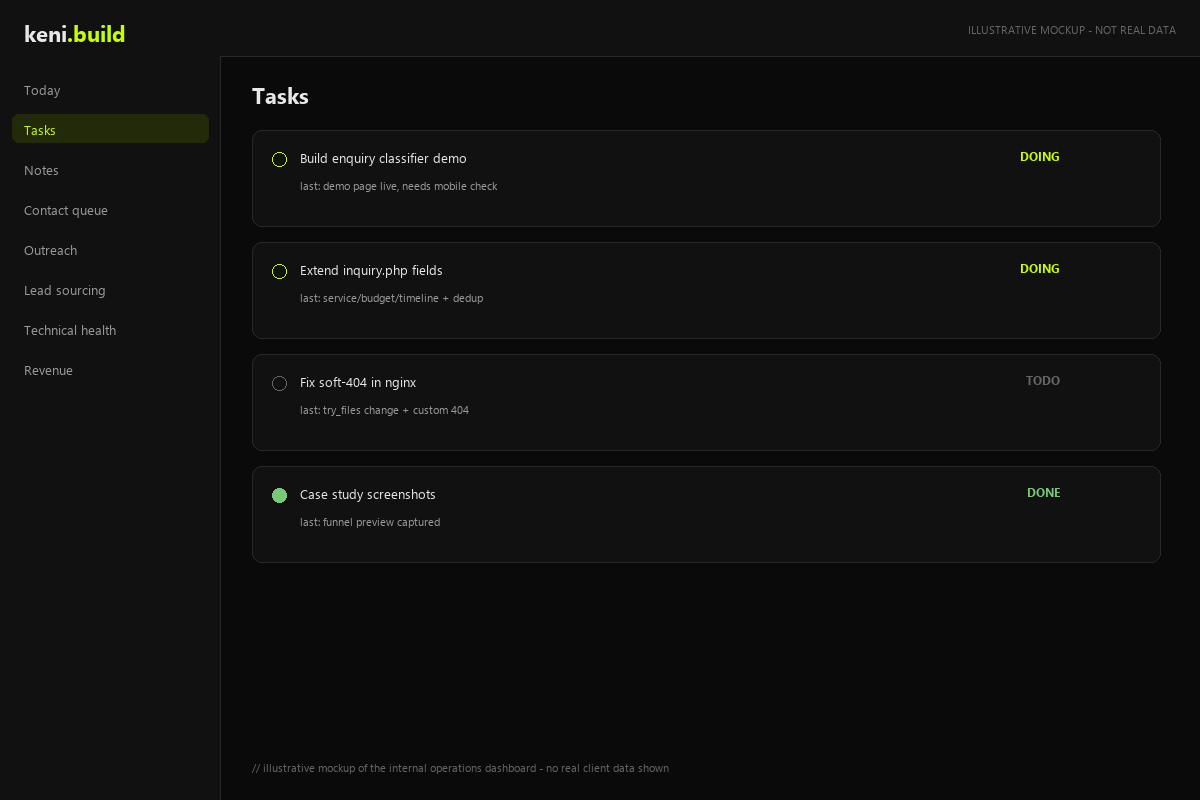
- Task tracking — with per-task progress notes and explicit resume points, so context survives interruptions.
- Contact queue — inbound enquiries and outreach contacts in one pipeline.
- Outreach & lead sourcing — connected to the lead management system for follow-up.
- Technical health — disk space, uptime, running services, and pending updates across servers.
- Notes — a place for half-thoughts and plans, searchable later.
Why it looks the way it does
Single-operator focus
This is not a multi-tenant SaaS. It is built for one operator (with AI assistant integration) running a small studio. That constraint removes entire categories of complexity — no billing, no permissions matrix, no onboarding flow — and lets the interface optimise purely for speed of daily use.
Progress memory on tasks
Every task carries timestamped notes and an explicit "where I left off" field. Interruptions are normal in a small studio; losing context to them is expensive. This makes resuming any task a matter of reading one field.
Self-hosted, not subscribed
Runs on existing infrastructure with no monthly SaaS fees. For a business watching operating costs, owning the tool beats renting it — and it can be extended in any direction without waiting for a vendor roadmap.
Inside the dashboard
What it isn't
This is tuned for how this studio operates — it is not a packaged product with onboarding, billing, or multi-user permissions. The value for a potential client is not the exact tool, but the pattern: an operations layer that makes tasks, leads, and system health visible in one place, built to fit the business rather than the other way around.
What you can learn from this
- Operational visibility compounds — one place to see tasks, leads, and health prevents dropped balls.
- Progress notes and resume points are cheap to build and save hours across interruptions.
- Self-hosted internal tools eliminate per-seat costs that add up faster than they should.
Want an internal dashboard built around how your team actually works? Discuss your project →